
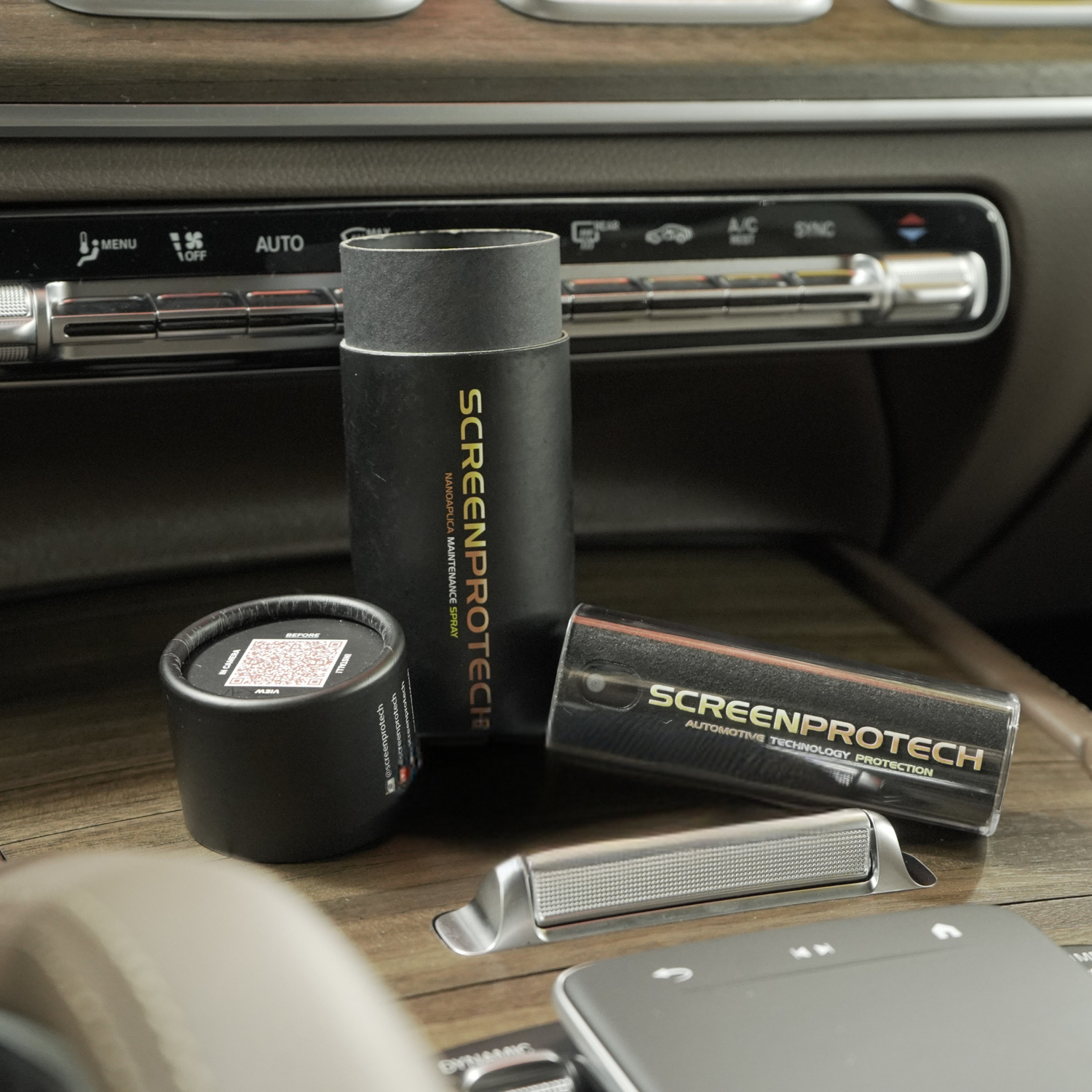
If you want the simplest, lowest-risk answer for day-to-day cleaning: use a screen-specific cleaner that’s made for electronic displays, and apply it correctly. That’s exactly why we offer Nano Aplica Screen Cleaner. It’s built for screens, designed to be safe with Screen ProTech film, and it keeps fingerprints and smudges from turning into haze over time.
Shop Nano Aplica Screen Cleaner
Modern interiors are screen-first: infotainment, driver display, climate panels, passenger displays, and glossy trim that behaves like a screen. The catch is that many of these surfaces have factory coatings (anti-glare, anti-fingerprint, UV layers) that can haze, streak, or discolor if you hit them with the wrong chemical.
Why “regular glass cleaner” can be a problem
Most household glass cleaners are built for windows and mirrors, not coated electronics. Ammonia, strong solvents, and harsh detergents can shorten the life of screen coatings and leave permanent-looking haze that never fully buffs out.
The safest cleaning ladder, but still be careful (use this order)
Step 1: Dry wipe first (removes dust that causes micro-scratches)
Use a clean, lint-free microfiber meant for screens. Light pressure. This matters because dust is what turns “cleaning” into fine swirls.
Step 2: Damp microfiber with lukewarm water
If fingerprints remain, dampen the cloth slightly. Do not drip water into screen edges, seams, or buttons.
Step 3: Use a dedicated screen cleaner for consistent results
For routine fingerprints and streak-free maintenance, a purpose-built screen cleaner is the best “daily driver” option.
This is where Nano Aplica Screen Cleaner fits. It’s meant for screens, safe to use after installing Screen ProTech, and it’s the easiest way to keep your infotainment and driver display looking OEM without experimenting with household chemicals.
Step 4: Mild cleaner if needed (gentle, diluted)
For heavier grime, use warm water with a mild, non-detergent cleaner and wipe gently. Then dry immediately with a second microfiber.
Safe vs risky chemicals
Generally safe (when used correctly)
- Lukewarm water on a microfiber
- Dedicated screen cleaners formulated for electronics (Nano Aplica is built for this use)
- Mild, non-detergent cleaner diluted in water (spot test first)
Use with caution (depends on your vehicle)
- Isopropyl alcohol: some manufacturers allow small amounts, others warn against it. If you use it, keep it minimal and only on the cloth, never sprayed directly.
Avoid (high risk for haze, discoloration, or coating damage)
- Ammonia-based cleaners (common in household glass cleaners)
- Harsh solvents and strong degreasers
- Acidic or alkaline cleaners
- Abrasives (paper towels, scouring pads, gritty cloths)
The right way to clean a screen (no streaks, no surprises)
- Turn the screen off so you can actually see smudges.
- Dry wipe first to remove dust.
- Spray your cloth, not the screen. This prevents liquid from creeping into edges and seams.
- Wipe in straight passes, then buff dry with a second clean microfiber.
Short FAQ
Can I use Windex or regular glass cleaner on my car screen?
Not recommended. Many glass cleaners contain ammonia or harsh agents that can damage or haze screen coatings.
What’s the safest everyday option if I want one product?
A dedicated screen cleaner made for electronic displays. Nano Aplica is our choice for routine fingerprints and smudges, and it’s designed to be safe with Screen ProTech film.
Is rubbing alcohol safe on infotainment screens?
It depends on the manufacturer. If you use it, use a very small amount on the cloth only. Never spray it directly onto the screen.
Should I spray cleaner directly onto the screen?
No. Spray the cloth instead to avoid liquid seeping into edges, seams, or buttons.
Will cleaning scratch my driver display or instrument cluster?
It can if you skip the dry dust step or use the wrong towel. Always remove dust first with a clean microfiber and use light pressure.


Leave a comment
All comments are moderated before being published.
This site is protected by hCaptcha and the hCaptcha Privacy Policy and Terms of Service apply.